

- higher program completion rate
- 4x
- fewer rage taps across the app
- 30%
- fewer devices sent back as “faulty”
- 1/3
“It was one of the easiest platforms I think we’ve ever had to implement.”
UXCam for Flutter
See how people use your Flutter app on iOS, Android and the web. Replays, heatmaps and funnels from one plugin, with Tara, our AI product analyst, telling you what to fix first.

Trusted by brands worldwide






See every session, measure each release and find out what changed, on iOS, Android and the web.
See what your users saw
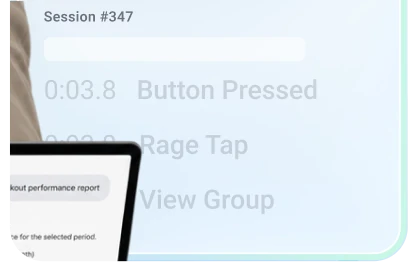
Watch real sessions from your app, tap by tap. UXCam points you to the ones worth watching, so you never sit through thousands.

See where every tap lands
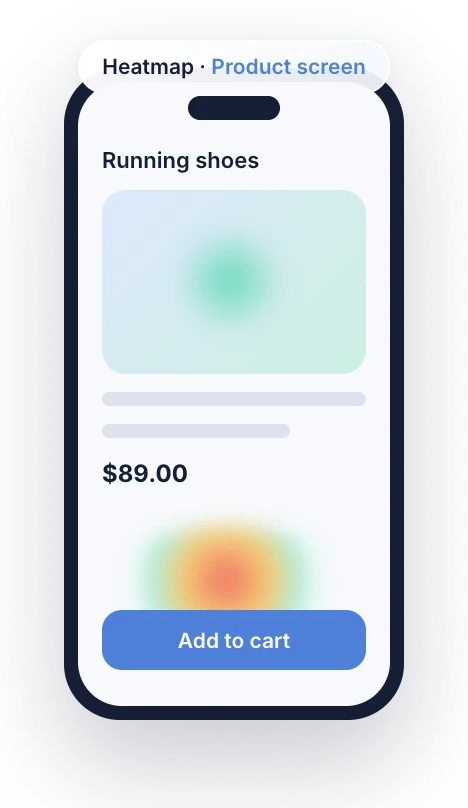
Taps, rage taps and scrolls build a heatmap for each screen. Put two releases side by side and see what your change did.
Measure each release on a dashboard
Describe what you want to track, from sign-ups to retention, and UXCam builds the dashboard. Share it, and watch every release land.
Discover why the numbers moved
Tara, our AI product analyst, watches your sessions and flags what changed each week, with the replays that explain it.
Discover answers in your AI tools
Ask Claude, ChatGPT or Cursor about your app in plain words. Answers come straight from your UXCam data, no exports needed.



Built for Flutter
Flutter paints its own pixels instead of native views. UXCam records what Flutter renders, so a replay shows the screen your user saw.
Add FlutterUxcamNavigatorObserver to your Navigator or GoRouter observers and each route becomes a named screen. Tag tabs and dialogs with tagScreenName.
Taps, rage taps and scrolls are grouped by screen name, so every route gets its own heatmap. Compare two app versions side by side.
Wrap a widget in OccludeWrapper and it’s hidden on the device, before anything uploads. Hide whole screens from the dashboard with no new release.
Report Dart exceptions in code, for example from FlutterError.onError, next to native crashes and ANRs. Each one links to the replay of what led to it.
flutter_uxcam covers iOS, Android and Flutter Web with one Dart API. It needs Dart 3.3+, iOS 12+ and Android 5.0+. Heatmaps and Tara run on mobile.
UXCam MCP
Skip the dashboard digging. Connect UXCam to Claude, ChatGPT or Cursor and ask in plain words, like “Why do Android users drop off at checkout?”. Answers come from your sessions, funnels and screens.
 Ask why users drop off and get answers from your UXCam dataTurn any analysis into a report or a slide deckCombine UXCam with your CRM, billing and support data

Flutter customer stories
“It was one of the easiest platforms I think we’ve ever had to implement.”
Comparing Flutter analytics tools?

Everything your team needs to understand a Flutter app, from one plugin, Flutter Web included.
From each vendor’s own documentation, November 2026.
For engineers
Add the package, start UXCam with your app key and add one observer. Sessions show up a few minutes after the app goes to the background. Rather not write it yourself? The UXCam MCP sets it up from your AI editor.
$ flutter pub add flutter_uxcamimport 'package:flutter_uxcam/flutter_uxcam.dart';
FlutterUxcam.optIntoVideoRecording();
FlutterUxcam.startWithConfiguration(
FlutterUxConfig(
userAppKey: 'YOUR_APP_KEY',
enableAutomaticScreenNameTagging: false,
),
);MaterialApp(
navigatorObservers: [FlutterUxcamNavigatorObserver()],
);Flutter guides
Yes. The flutter_uxcam package on pub.dev records Flutter apps on iOS and Android, and the same plugin records Flutter Web. It works with Dart 3.3 and newer, iOS 12 and newer, and Android 5.0 and newer.
Read the Flutter docsFlutter teams at Scalapay, Dafiti, Webmotors, Clipboard Health, Nahdi and Bemol use UXCam, and so does Western Governors University. Recora, a virtual cardiac rehab app built with Flutter, cut support tickets on its key flow by 42%.
Wrap the widget in OccludeWrapper, from a single text field to a whole list. On iOS and Android you can also hide or blur entire screens from your dashboard, with no new release. Masking runs on the device, so hidden data never reaches our servers.
Learn more about security and privacyAdd FlutterUxcamNavigatorObserver to your Navigator or GoRouter, and each screen takes its name from its route. Give your routes clear names for clear reports. For tabs and bottom navigation, tag the screen with one line of code.
Yes. The same plugin records sessions, screen names, events and user properties on Flutter Web, and OccludeWrapper masks widgets there too. Heatmaps and Tara are available on iOS and Android today.
Not anymore. Hotjar is now part of Contentsquare, and new Hotjar accounts can’t be created. Hotjar never supported mobile apps either. UXCam gives you session replay and heatmaps inside your Flutter app on iOS and Android, plus replay on Flutter Web.
Yes. Turn on crash handling and UXCam catches native crashes and ANRs. Report Dart errors from FlutterError.onError with one call, and each one shows up with the session where it happened.
UXCam uploads sessions when the app goes to the background, so uploads stay out of your users’ way. You can also pause recording on any screen you don’t need.
Add the UXCam SDK with one line of code and your data starts coming in. You can trial UXCam for 14 days with no credit card, or book a demo and we’ll walk your team through it. You can also ask Cursor, Claude Code or Windsurf to install the Flutter SDK with the UXCam MCP.
 4.8/5
 SOC 2 Type II
 GDPR & CCPA
Or trial UXCam for 14 days. No credit card required.